
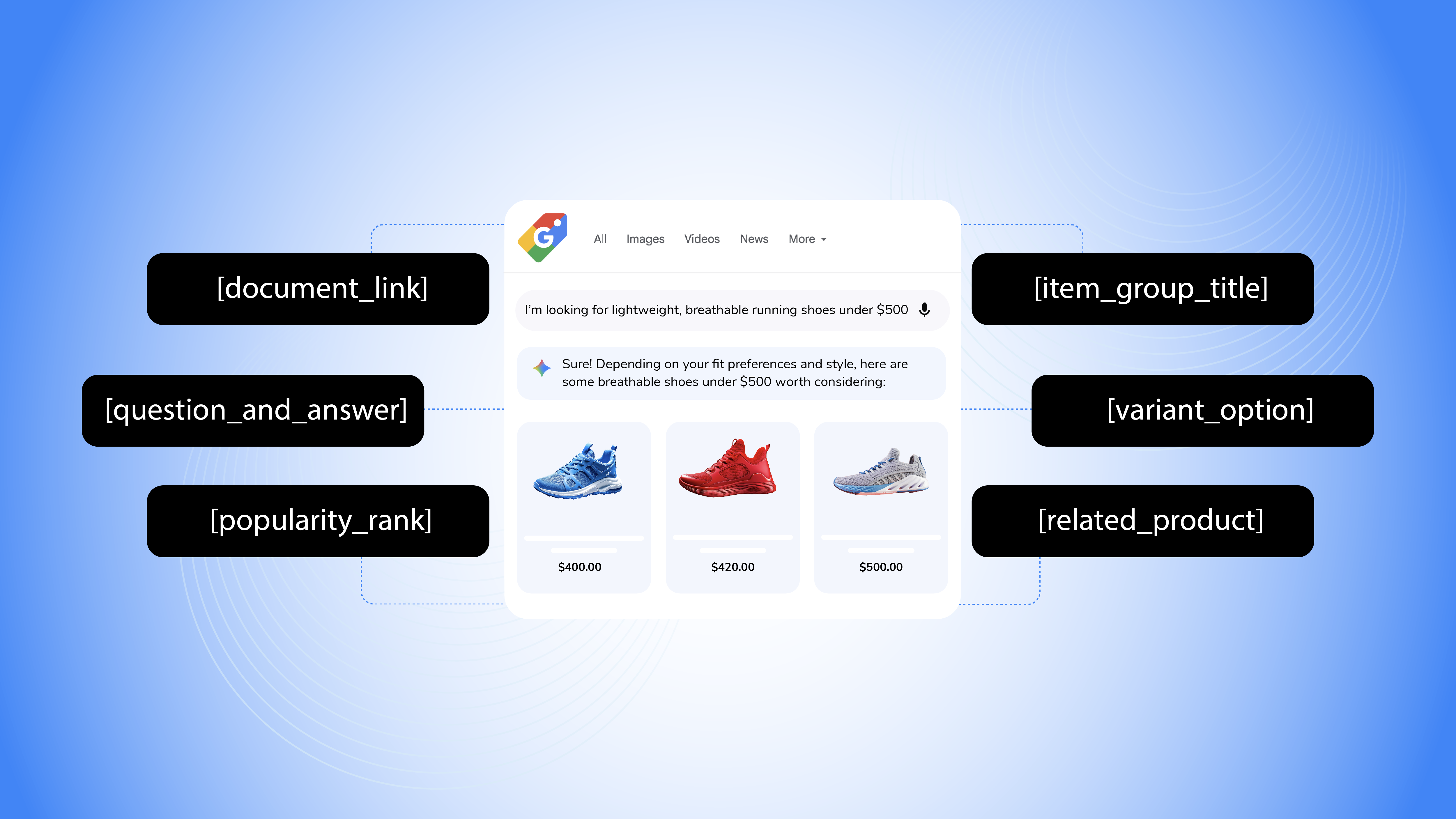





Key takeaways: Making product data more conversational
- Google's new conversational attributes help merchants provide richer product context through FAQs, related products, supporting documents, grouped items, product variants, and popularity signals.
- Merchants can add these attributes through feeds or the Merchant API, extending existing product data without replacing core feed attributes.
- The update is designed for AI-powered shopping experiences, helping systems like Gemini, AI Mode, and shopping agents better understand products and shopper intent.
- Productsup AI Enrich helps merchants scale conversational product content, from product Q&A and highlights to use-case and occasion tags, as well as other AI-ready commerce signals.
At Google Marketing Live 2026, Google introduced a range of updates designed to help retailers, brands, and other merchants show up, sell, and measure performance across AI-powered shopping experiences. The announcements included a) Universal Commerce Protocol updates, b) AI performance insights in the Merchant Center, c) Ask Advisor, and d) a quieter but important product data update: conversational attributes.
The launch of conversational attributes signals an important shift in how product data is being used across Google's shopping ecosystem.
As shoppers move from keyword-based searches to more detailed, natural-language queries, Google needs richer product information to understand, compare, and recommend products. To support this shift, Google introduced this set of attributes designed specifically for AI-powered shopping experiences, such as AI Mode and Gemini.
"Strong product descriptions are critical for brands to get discovered in the AI era. Now, retailers globally can use conversational attributes to update their product descriptions to reflect the more conversational way people search.”
— Google, Marketing Live 2026 Shopping update (source)
What are conversational attributes?
Conversational attributes are optional data fields that complement existing Merchant Center product feeds. They do not affect product approval status and can be added through supplemental feeds or the Merchant API. Their purpose is to help AI systems and conversational shopping agents better understand product nuances and answer shopper questions more effectively.
Google currently documents six conversational attributes:
- Question and answer [question_and_answer]
- Document link [document_link]
- Related product [related_product]
- Item group title [item_group_title]
- Variant option [variant_option]
- Popularity rank [popularity_rank]
Create conversational attributes at scale with Productsup
Productsup fully supports Google's new Conversational Attributes through a dedicated export channel for Google Merchant Center. Combined with AI Enrich and AI Data Services, merchants can create, enrich, and syndicate conversational product content such as Q&A pairs and other contextual product signals at scale.
Learn more1. Question and answer [question_and_answer]
This attribute allows retailers to submit product-specific FAQs as structured question-and-answer pairs. Here are a few examples across different product types:
Example: Wireless noise-cancelling headphones
- How long does the battery last? | “Up to 40 hours on a single charge."
- Can I connect two devices at once? | “Yes, it supports multipoint Bluetooth connectivity.”
- Are these suitable for air travel? | “Yes, active noise cancellation helps reduce cabin noise.”
Google allows up to 30 Q&A pairs per product, making this one of the most powerful conversational attributes available today. Instead of relying solely on product descriptions, AI systems can reference answers to the exact questions shoppers are likely to ask.
How Productsup can help:
Creating product FAQs manually across thousands of SKUs can be time-consuming. Productsup AI Enrich helps merchants generate product-specific Q&A pairs at scale, making it easier to build conversational product attributes for Merchant Center and other AI-powered shopping channels.
2. Document link [document_link]
The document link attribute allows retailers to provide URLs to supporting PDF documents.
Examples include:
- User manuals
- Assembly instructions
- Technical specifications
- Certification documents
- Product guides
This gives Google access to detailed product information that often sits outside the product feed itself. You can add up to 5 PDFs per product, max 50 MB each. Multiple URLs are comma-separated.
3. Related product [related_product]
The related product attribute helps merchants define relationships between products within their catalog. Each related product is referenced by a product [id] or [gtin]. Unlike a generic "related products" section, Google supports six relationship types, including:
| Relationship type | Meaning | Example |
|---|---|---|
| part_of_set | Part of the same product collection or set | The chair belongs to a dining set |
| required_part | Needed for the product to function | Battery for a lamp |
| often_bought_with | Frequently purchased together | Phone case with phone |
| substitute | An alternative product that serves the same purpose | Comparable printer model |
| different_brand | Same product sold under another brand | Store-brand version of a branded product |
| accessory | Optional add-on product | Webcam for a desktop computer |
| Example: Espresso Machine | Attribute Format |
|---|---|
|
Accessory: Milk frothing pitcher Required part: Water filter cartridge Often bought with: Espresso coffee beans |
required_part: gtin:1234567890123 accessory:id: MILK-FROTHER-PITCHER often_bought_with:id: ESPRESSO-BEANS-1KG |
This relationship data helps Google's AI understand how products fit together and enables more informed recommendations. You can include up to 30 related products per item.
4. Item group title [item_group_title]
Item group title works alongside the existing item group ID attribute and provides a shared title for a collection of product variants.
For example, while the product_title may be "Men's Organic Cotton T-Shirt - Black, Medium," the item_group_title would be "Men's Organic Cotton T-Shirt." AI makes the connection between individual variants and the overall product family.
5. Variant option [variant_option]
This attribute defines the characteristics that distinguish one variant from another, such as color, size, material, or storage capacity.
Used together with item_group_id and item_group_title, it helps Google understand product variations and match shoppers with the exact option they're looking for. For example, shoppers may ask for something specific, such as:
"Show me this shirt in black, size medium," or "Do you have this phone with 256GB storage?"
6. Popularity rank [popularity_rank]
A score that indicates how popular a product is relative to the rest of your catalog. Higher values represent stronger-performing products and can help AI identify top sellers when shoppers ask for popular or best-selling items.
For example, a popularity rank of 95.5 means the product performs better than 95.5% of products in your catalog, placing it among your top sellers.
This gives Google an additional signal when shoppers ask questions, like:
- "What's your best-selling running shoe?"
- "Which espresso machine is most popular?"
- "What are your top-rated winter jackets?"
Example values:
- 95.5 → Top seller
- 72.0 → Popular product
- 12.3 → Lower-volume product
How conversational attributes work
Conversational attributes are submitted alongside your existing Merchant Center product data using feeds or the Merchant API. Each attribute provides Google with additional information that may not be captured in traditional product fields such as titles, descriptions, pricing, or availability.
Google's AI systems can then use this additional context to understand product relationships, answer shopper questions, and match products to conversational shopping queries across AI Mode, Gemini, and other AI-powered surfaces.
Three ways to start using conversational attributes today
- Step 1: Audit existing product content
Review FAQs, manuals, buying guides, and support content that can be reused within Merchant Center.
- Step 2: Map product relationships
Identify accessories, required parts, frequently purchased products, and alternative products across your catalog.
- Step 3: Start with your top products
Focus on best sellers first before rolling out conversational attributes across your entire inventory.

Productsup AI Enrich: Turn product data into conversational context
Creating conversational product content manually can be difficult, especially across large catalogs. Productsup AI Enrich helps merchants generate and scale product Q&A, highlights, use-case tags, occasion tags, and other AI-ready content, making it easier to prepare product data for the next generation of shopping experiences.
Smarter ways to structure product data can support easy product discovery and purchase journeys across all emerging AI channels.
Want to see it in action? Book a demo to learn how Productsup AI Enrich can help you create and manage conversational product content at scale.
FAQs
No, conversational attributes complement existing feed data, such as titles, descriptions, pricing, availability, and GTINs. They provide additional context rather than replacing core product attributes.
Conversational attributes help AI systems better understand products, while UCP helps AI agents access product information, pricing, availability, and checkout capabilities. Together, they support more intelligent product discovery and shopping experiences.
Start with Question_and_Answer if you already have product FAQs available. It is one of the easiest attributes to implement and directly addresses the types of questions shoppers ask during product research.
Many merchants already have relevant information across product pages, FAQs, manuals, and support content. Solutions like Productsup AI Enrich can help generate, structure, and manage this content across large catalogs.
About the author
