Map your product data to any channel’s taxonomy automatically





What is Smart Mapping?
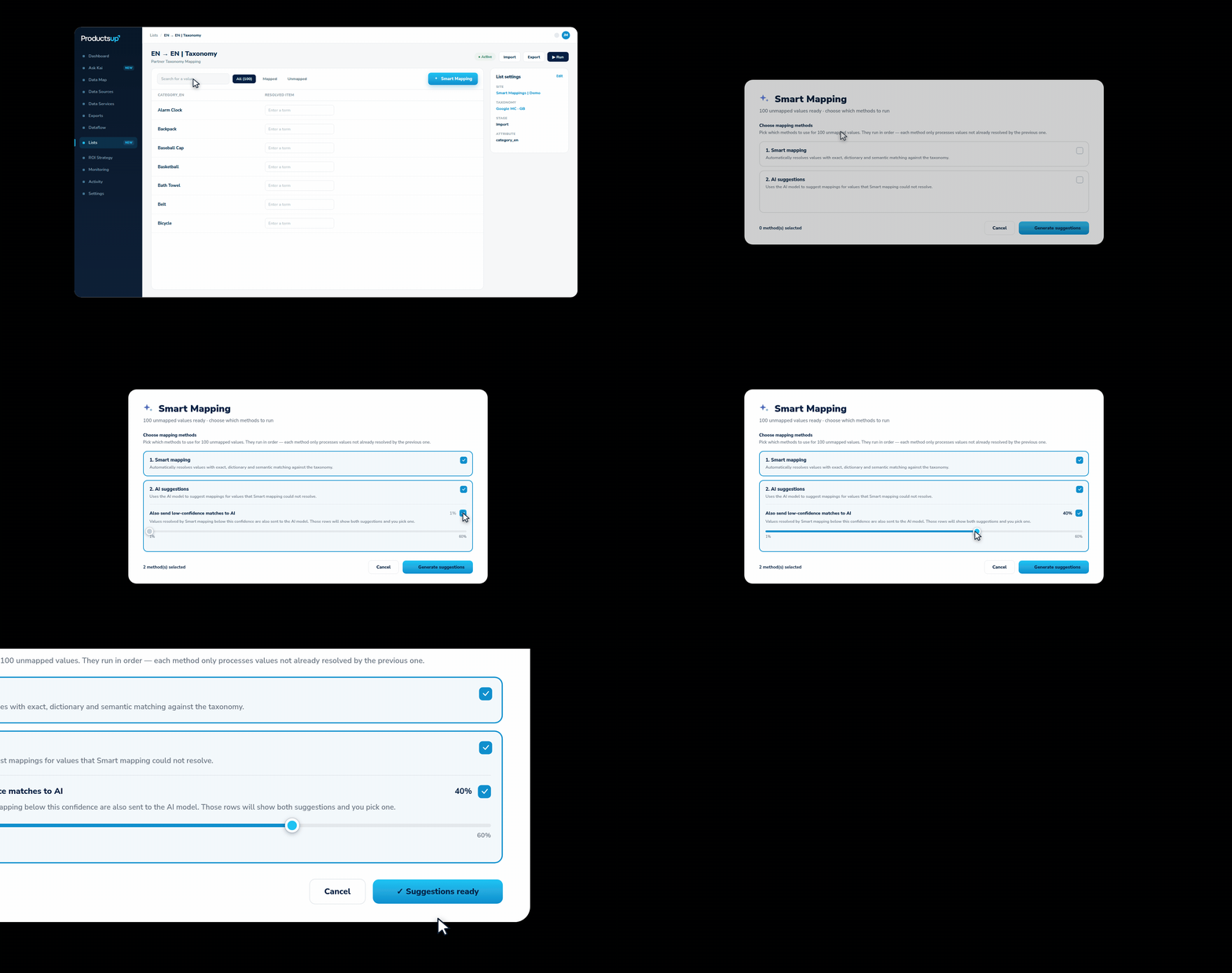
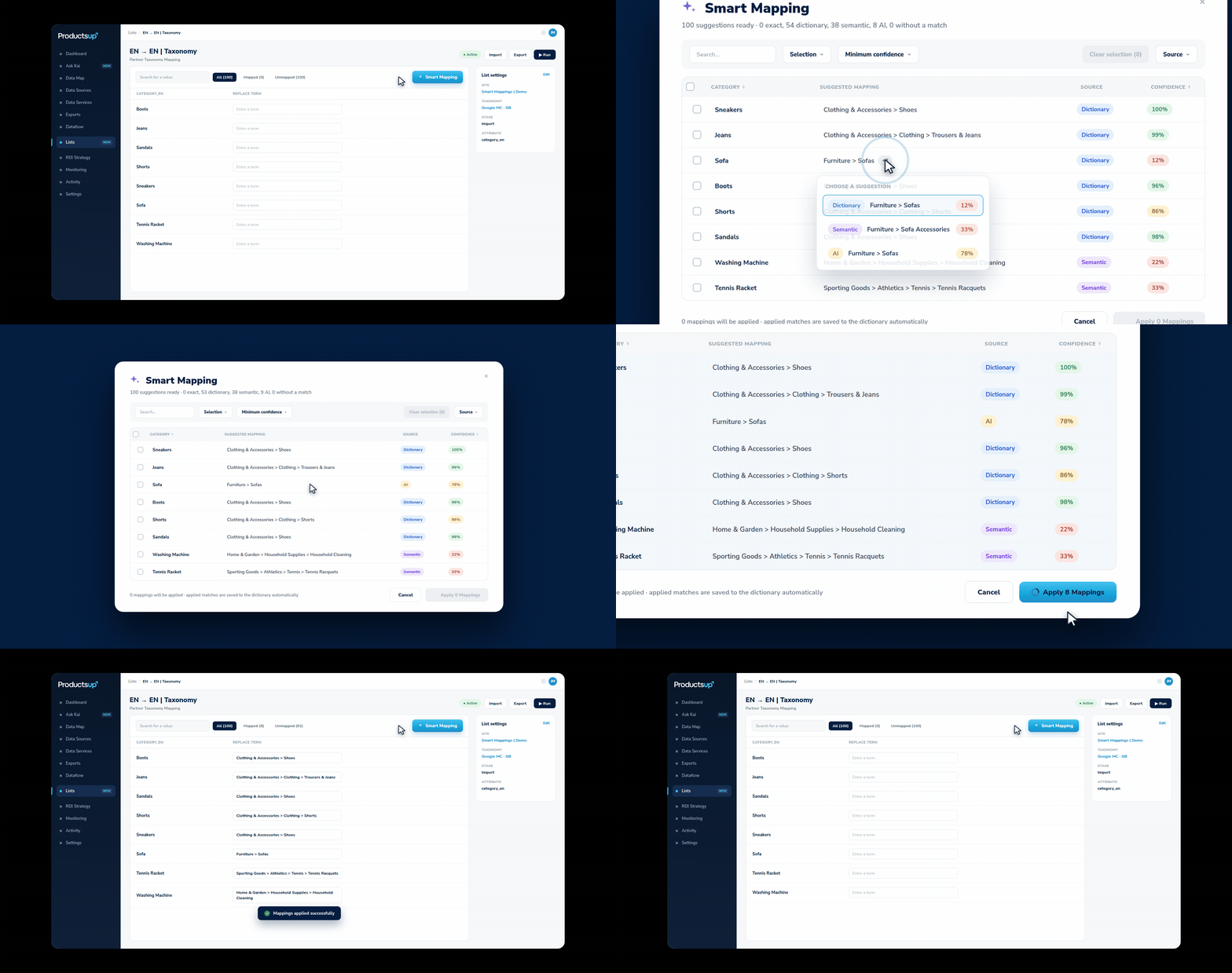
Smart Mapping automates the manual work of mapping product values to the taxonomies and classifications required by marketplaces, advertising channels, and structured industry standards. You get an intelligent suggestion for every value, each with a confidence score. Review the suggestions, choose which ones to accept, and apply them in bulk.
Key benefits of Smart Mapping
Save time
Automate tedious, manual mapping work and map thousands of values in minutes instead of days.
Go live faster
Get product feeds ready with less implementation effort for marketplaces, advertising channels, and industrial classification standards.
Stay in control
Review intelligent, AI-powered suggestions and decide which mappings to apply before changes are made.
How does Smart Mapping work?

Top ways customers use Smart Mapping
Cross-language and cross-market expansion
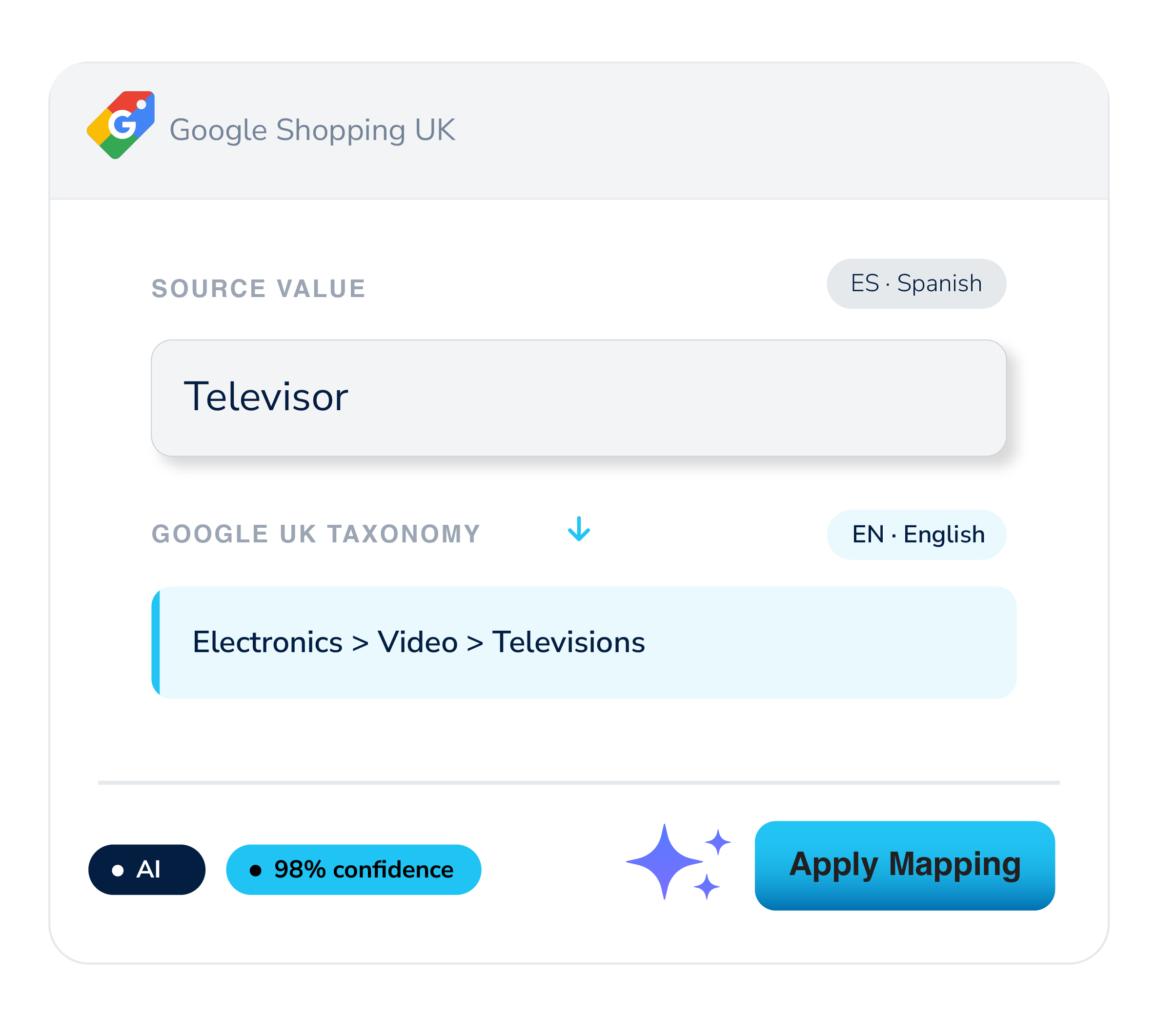
Map product values across languages and markets without a separate translation step. For example, mapping Spanish product terms directly to the taxonomy of Google UK.
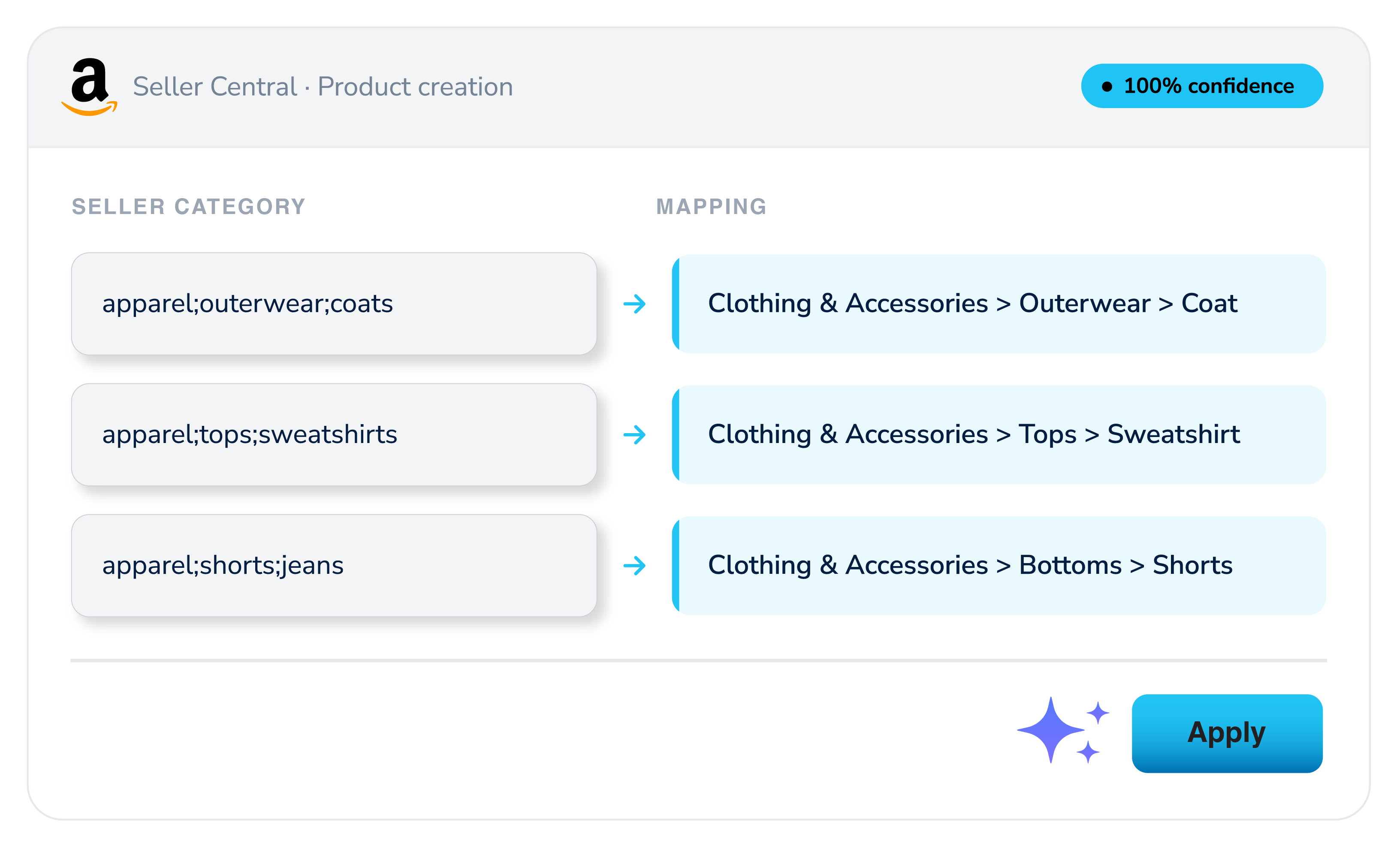
Marketplace onboarding
When classifying products during onboarding, turn days of manual dropdown selection into a review-and-apply pass.
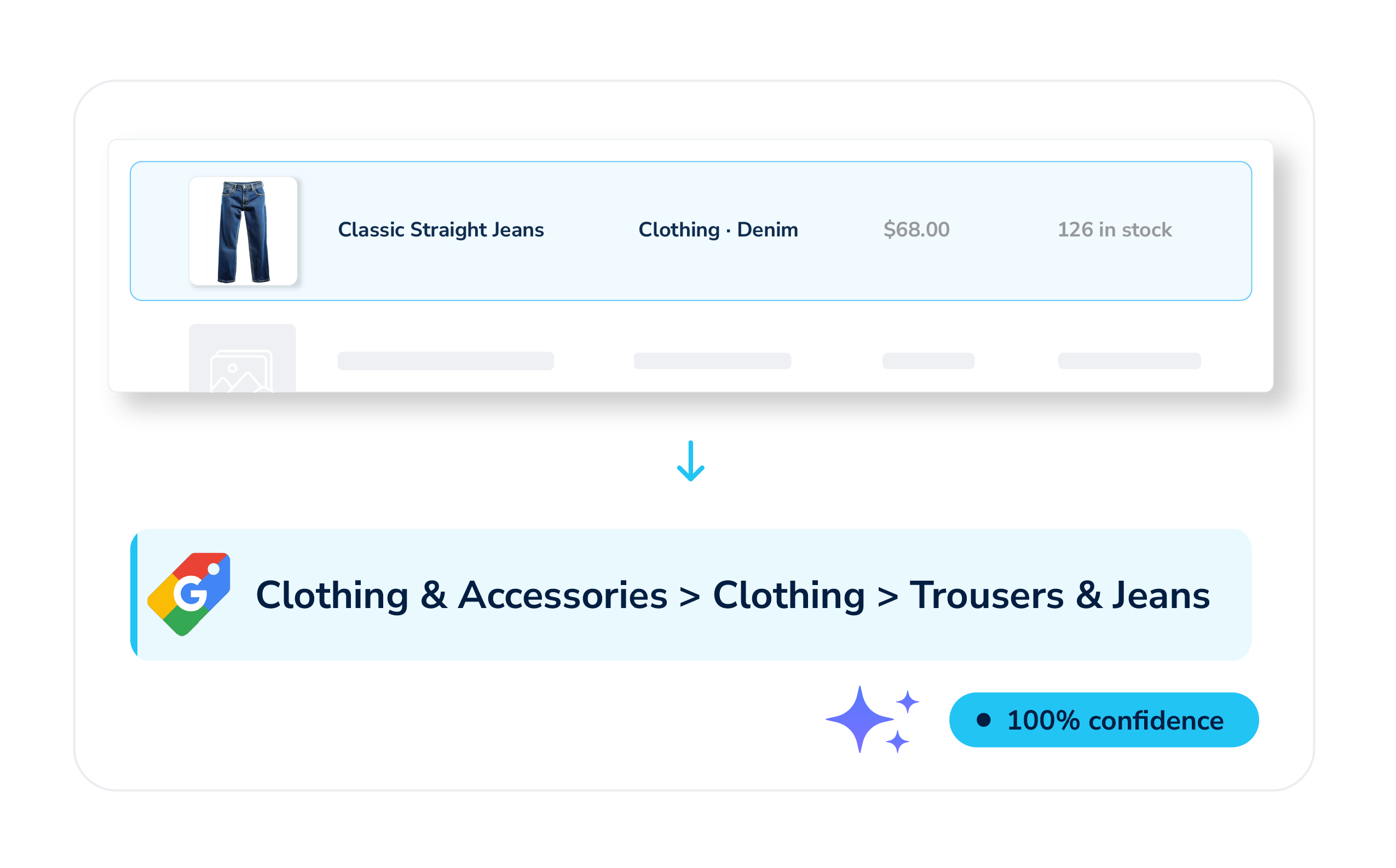
Advertising channel setup
Map internal product categories to the taxonomies advertising channels require, such as Google Shopping, without manually translating and assigning each value.
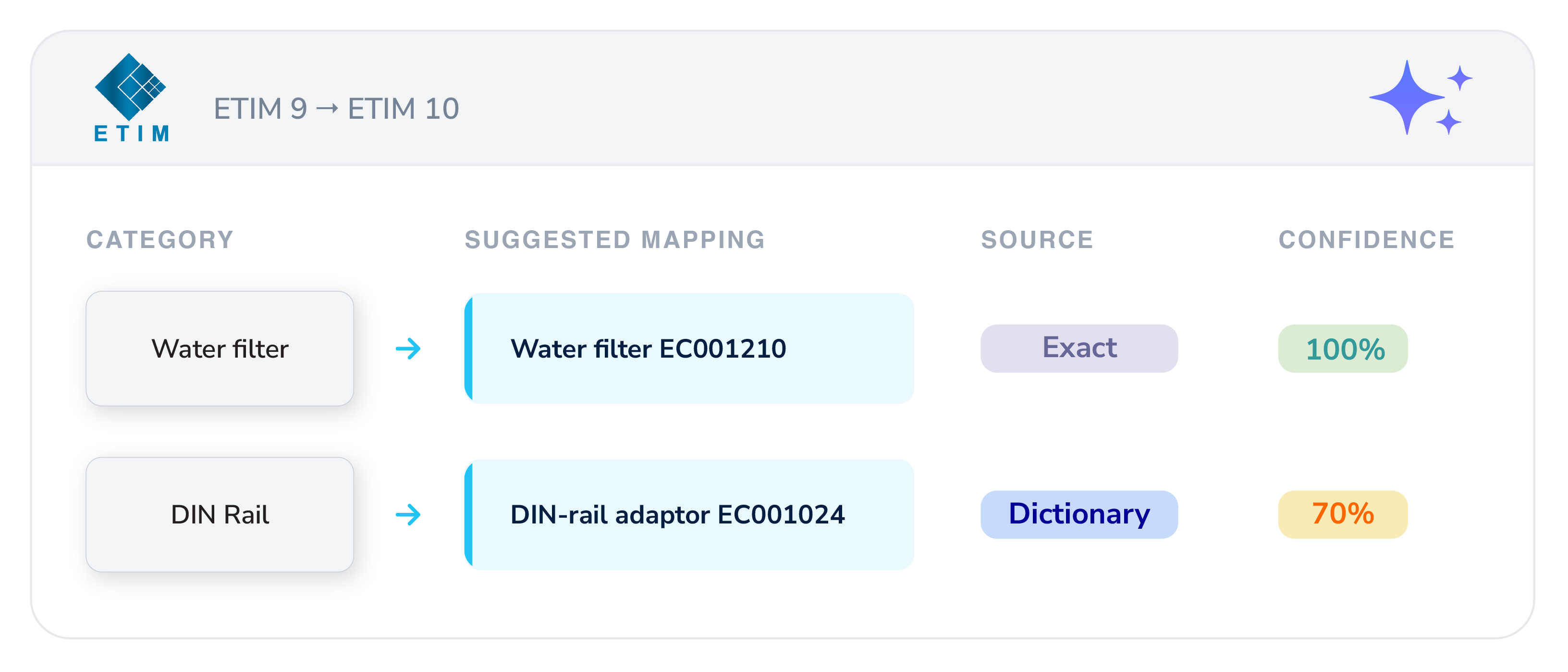
Industrial classification standards
Map product data to classification standards, such as ETIM or eCl@ss. When a standard releases a new version, the shared dictionary reuses previously approved mappings so you don't need to start from scratch.
Explore other features of the Productsup platform
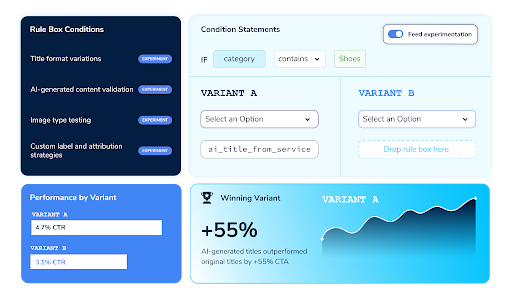
Feed Experimentation
Run controlled split tests on product titles, descriptions, images, and more directly inside your feed workflow.
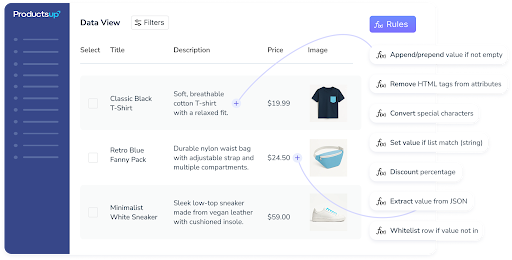
Rule Boxes
Automate complex data transformations to deliver error-free, channel-ready listings on a global scale.
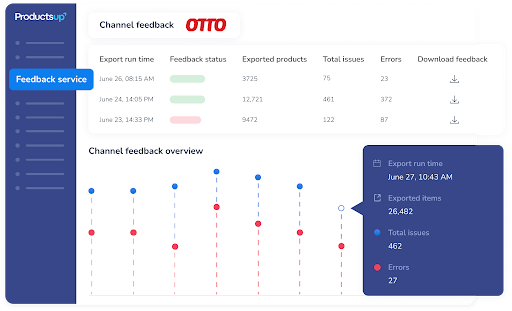
Channel Feedback
Gain control over your product data with a single source of truth for feed performance, product status, and channel compliance.
Frequently Asked Questions (FAQs)
1. What's the difference between taxonomy mapping and classification mapping?
Both are about matching your own product values to a required external structure, but they serve different purposes.
Taxonomy mapping matches your product values to the category structure a channel requires. For example, mapping "Running Shoes" to Google's "Apparel & Accessories > Shoes," or to the category tree a marketplace displays products under.
Classification mapping is used with Category Specific Attributes (CSA) on marketplaces like Amazon, so instead of just placing a product in a category, the mapped value triggers the correct set of required attributes for that product type inside the platform.
In short, taxonomy mapping decides where a product is categorized, while classification mapping decides which attribute rules apply to it. Smart Mapping supports both, using the same underlying methods (exact, dictionary, semantic, and AI matching).
2. What is Smart Mapping?
Smart Mapping is a Productsup feature that automates taxonomy and classification mapping. It suggests the right target value for each of your product values, shows a confidence score for every suggestion, and lets you review and apply matches in bulk instead of assigning them one by one.
3. How do I map product categories to the Google Shopping taxonomy?
Smart Mapping can map your internal product categories directly to the Google Merchant Center / Google Shopping taxonomy. It suggests a match for each of your category values with a confidence score, so you can review and apply mappings across your whole catalog at once instead of manually assigning each one.
4. How do I map product data to Amazon's classification requirements?
For marketplaces like Amazon that use Category Specific Attributes (CSA), Smart Mapping suggests the correct classification trigger for each product value and applies it in bulk, which is typically the slowest manual step when onboarding a new marketplace.
5. Can I map product data across languages or markets?
Yes, Smart Mapping can map source values in one language directly to a target market's taxonomy in another. For example, German product terms to the taxonomy required by Amazon Spain without a separate manual translation step first.
6. Does Smart Mapping use AI?
Smart Mapping offers two methods: a) Smart (automatic exact, dictionary, and semantic matching) and b) AI suggestions. The ‘Smart’ method works on its own, while ‘AI suggestions’ are optional and are used for values that ‘Smart’ can't resolve, or whenever you choose to include them.
7. How accurate are Smart Mapping's suggestions?
Every suggestion comes with a confidence score, and you choose the minimum confidence level you're willing to review. Nothing is applied automatically, so you approve each mapping before it takes effect. Accuracy is ultimately in your hands, not the algorithm's.
8. What is the Smart Mapping Dictionary?
The Dictionary is a shared database of mappings you've previously approved. It's checked automatically for future lists, new channels, and updated taxonomy versions, so recurring setups and standard updates become a quick review instead of starting from scratch.
9. Does Smart Mapping support ETIM or eCl@ss classification standards?
Yes, Smart Mapping can map product data to industrial classification standards, such as ETIM and eCl@ss, and reuses previously approved mappings from the Smart Mapping Dictionary when a standard releases a new version.
10. Will Smart Mapping overwrite my existing product mappings?
No, Smart Mapping only shows suggestions for unmapped values, so anything you've already mapped is left untouched unless you choose to reset and remap it.
11. How much time does Smart Mapping save compared to manual mapping?
Manually mapping a list of a few thousand unique values can take days. With Smart Mapping, reviewing and applying suggestions for the same list typically takes minutes, as you're approving matches in bulk rather than picking each one individually.
See how Productsup’s Smart Mapping and other automation features work
Get a firsthand look at our enterprise feed management and syndication platform in a live demo.